

For most people, the Wayback Machine is a nostalgia tool: type in an old URL, have a quick look at what a site looked like in 2009, close the tab. But in day-to-day SEO work, it can do a lot more, and sometimes it's the only source left that can help you.
The classic case for me: someone comes to me after a relaunch that went wrong. Their visibility has collapsed, and nobody remembers exactly which pages existed before. That's when the archive becomes my first stop. Below, I'll explain what the Wayback Machine is and what it's actually useful for in SEO.
WHAT IS THE WAYBACK MACHINE?
The Wayback Machine is a digital web archive that stores snapshots of web pages over time. It's run by the Internet Archive, a San Francisco–based nonprofit founded in 1996. The public Wayback Machine has been available since 2001, and in October 2025 it passed the milestone of one trillion archived web pages.
Put simply: the Internet Archive's crawlers regularly visit web pages and save a copy. You can view these copies later at web.archive.org, each one dated to a specific day. That lets you see what a page looked like a year ago, five years ago or before the last relaunch.
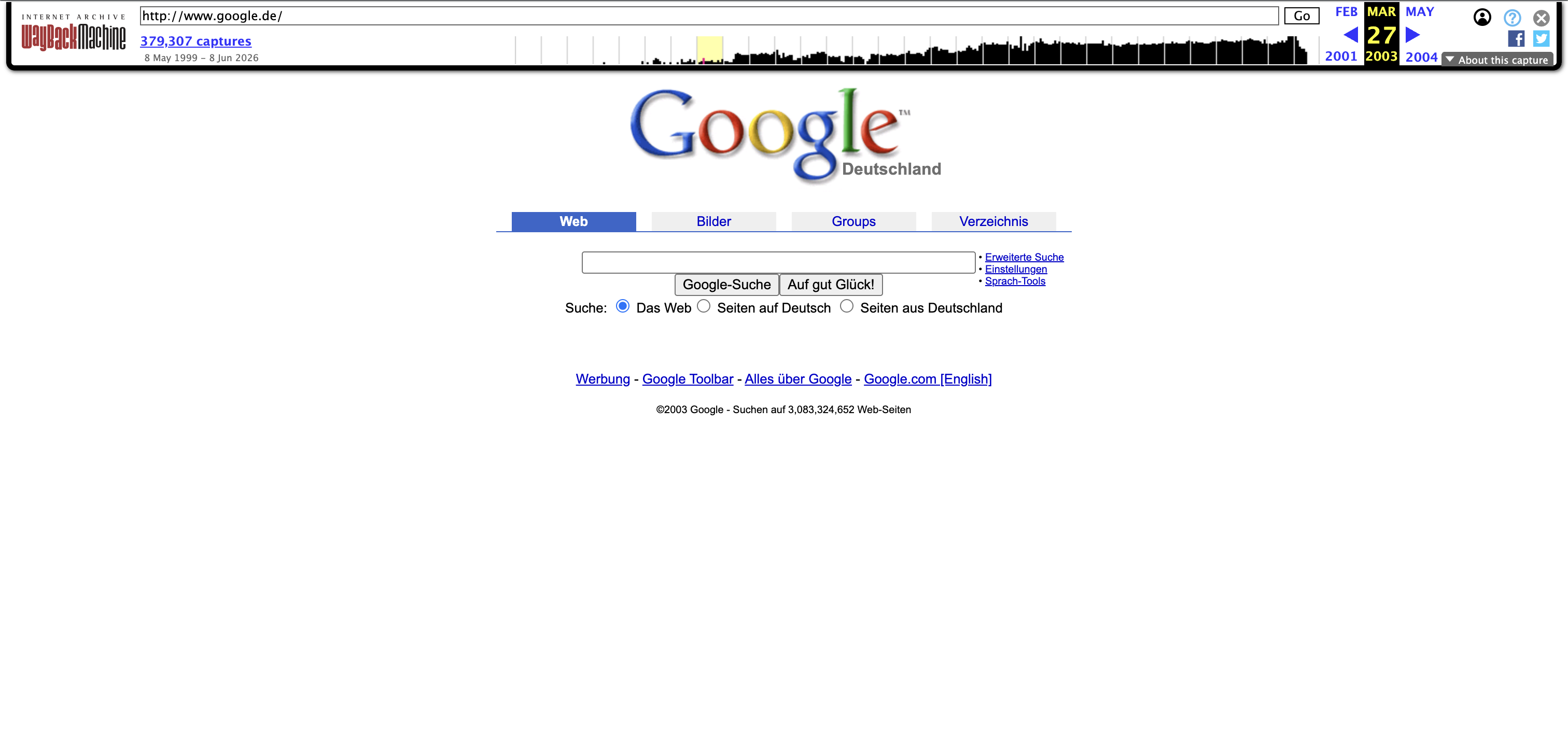
A good example is Google's homepage. Here's what google.de looked like in March 2003, straight from the archive:
One important caveat: the archive isn't complete. Not every page gets saved, not every snapshot renders properly, and JavaScript-heavy pages in particular often look broken in the archive. Still, what does get archived is more than enough for most SEO purposes.
WHY DOES THE WAYBACK MACHINE MATTER FOR SEO?
Because SEO is all about time. Rankings build up over years, content changes, domains change hands, relaunches go wrong. And in almost all of these cases, you need to look at the past to understand the present.
The Wayback Machine is the only neutral source that documents what was online and when, independently of you, your client or any tool provider. That's exactly what makes it so valuable. Here are the nine use cases that have proven most useful for me.
HOW DO I RESCUE A RELAUNCH THAT WENT WRONG?
For me, this is the most important use case, and it usually comes in as an emergency. Not the clean relaunch that was properly managed from day one, but the one that has already gone off the rails. Someone comes to me because their visibility collapsed after go-live, and nobody can say exactly which URLs and content existed before. During a relaunch (a fundamental technical or content overhaul of a website), this knowledge gets lost all the time: which URLs existed, which pages ranked and what content was on them.
If there's no old crawl (and in cases like this, there almost never is), the Wayback Machine is often the only source that still documents the old website.
The Wayback Machine fills this gap:
- Reconstruct the old URL structure: You can see which URLs existed before the relaunch and check whether they were properly 301-redirected to their new counterparts.
- Recover lost content: If copy, guides or product descriptions disappeared during the relaunch, you can often still find the full text in the archive.
- Trace internal linking: You can see how the old pages linked to each other, and which of those links were cut during the relaunch.
- Compare schema and metadata: You can compare title tags, meta descriptions and structured data from the old version with the new one.
My approach in a case like this: I pull the complete old URL structure from the archive (more on that below; the API makes it surprisingly easy) and check which of these pages were lost in the relaunch or now lead nowhere. That quickly gives me a list of the problem areas behind the drop, and with it a concrete plan: redirect, restore or deliberately let go.
HOW DO I DIAGNOSE RANKING DROPS WITH THE ARCHIVE?
A page tanked overnight and nobody knows why? Then the archive is your best witness. Put two snapshots side by side: one from when the page was still doing well, and one from after the drop.
What I look at:
- Was the main text shortened or replaced?
- Did the title tag or H1 change?
- Did internal links or entire page sections disappear?
- Was a standalone page merged into another URL?
Often the cause isn't Google at all, but an inconspicuous CMS change that everyone has long forgotten. The archive makes these silent changes visible.
HOW DO I USE THE WAYBACK MACHINE FOR BACKLINK RECOVERY?
Backlink recovery (reclaiming lost backlinks) is one of the most underrated levers in SEO, and this is where the archive is worth its weight in gold.
The typical scenario: one of your pages had strong backlinks, but at some point it was deleted or moved without anyone setting up a redirect. The links now point to nothing, and their value goes to waste.
Here's how I approach it:
- I use a backlink tool (e.g. SISTRIX or Ahrefs) to find linked URLs that return a 404.
- I look up in the archive what content used to be on that URL.
- Then I decide: 301-redirect it to a relevant page that still exists, or rebuild the old content and republish it.
That's how you turn dead links back into working ranking signals, without any new link building.
HOW DO I ANALYZE COMPETITORS OVER TIME?
Most competitor analyses are a snapshot of a single moment. With the archive, you can trace how a competitor's content and structure have developed over time.
Interesting questions the archive can answer:
- When did the competitor build or overhaul their most important landing pages?
- Which topics did they add when their visibility went up?
- Did they change their title tags, site structure or content depth, and when?
- Which pages did they later remove (presumably because they didn't work)?
When I overlay a visibility trend from an SEO tool with the archive snapshots, I can often pinpoint exactly which change triggered a growth spurt. That's far more useful than guesswork.
HOW DO I CHECK A DOMAIN'S HISTORY BEFORE BUYING IT?
Expired domains and aged domains with an existing backlink profile are tempting, but risky. Before you spend money on a domain (whether for a new project or as a redirect source), you should know its past.
What I check in the archive:
- Topical consistency: Does the domain's past use fit your planned topic, or was it once a casino, a pharma site or a foreign-language spam site?
- Breaks in its history: Periods with completely unrelated content are a warning sign that the domain has already been exploited or burned.
- Traces of spam: Japanese or Russian spam content suddenly appearing on, say, an English-language domain points to a past hack.
This check takes ten minutes and can save you from an expensive mistake.
HOW DO I PROVE WHEN A PIECE OF CONTENT WAS FIRST PUBLISHED?
When you suspect content theft, the key question is: who had the text first? The Wayback Machine gives you dated, independent evidence of when a piece of content appeared on a specific URL.
This helps in two situations:
- Someone copied your content: You can show that your snapshot is older than the copy.
- You're wrongly accused of copying: It works exactly the same way in reverse.
On its own, this isn't watertight legal proof, but as evidence and as a factual argument when dealing with Google or the other site owner, it's very useful.
HOW DO I CHECK A SITE'S ROBOTS.TXT HISTORY?
The Wayback Machine also archives files like robots.txt. That means you can look up what a domain's crawling rules looked like at a specific point in time.
This comes in handy when a page dropped out of the index at some point. Sometimes the cause is an old robots.txt that blocked an entire directory, often after a relaunch or when a staging configuration was accidentally pushed live. The archive shows you when the block started.
HOW DO I SAVE PAGES TO THE ARCHIVE MYSELF?
You don't have to wait for the Internet Archive's crawler to come by. With Save Page Now, you can archive any publicly accessible page yourself: enter the URL on the web.archive.org homepage, submit it, and you're done. The snapshot is then permanently available, complete with a date stamp.
In day-to-day SEO work, I mainly use this in three situations:
- Before a relaunch: I save the most important old pages myself beforehand (homepage, top-ranking pages, categories). That guarantees a baseline for comparison later, even if the crawler last visited them months ago.
- For competitors: When a competitor has an important landing page, I save it before it changes. That way, I can see exactly what changed later on.
- As proof for your own content: Archive new articles right after you publish them. That gives you an independent timestamp in case someone copies the text later (see above).
Doing this manually gets tedious for lots of URLs. With a free Internet Archive account, you get extra options, such as saving linked pages at the same time.
HOW DO I USE THE ARCHIVE AT SCALE WITH THE API?
The Internet Archive offers what's called the CDX API, an interface that lets you programmatically query which snapshots exist for a URL or an entire directory.
The most useful trick: you can pull a list of every URL the Wayback Machine has ever recorded for a domain. That's invaluable when there's no old crawl left. Just enter the following address in your browser and replace your-domain.com with the domain you want to check:
https://web.archive.org/cdx/search/cdx?url=your-domain.com/*&output=text&fl=original&collapse=urlkey
What the parameters do:
url=your-domain.com/*queries all known URLs on the domain.output=textreturns a plain-text list instead of JSON.fl=originalreturns only the original URL, without extra columns.collapse=urlkeyremoves duplicates, so each URL appears only once.
The result is a complete list of every URL the Wayback Machine has ever recorded for the domain. And this brings us back to backlink recovery: lists like this regularly turn up old pages that were never redirected. If backlinks used to point to them, you can win some of that value back with a clean 301 redirect.
The API also lets you automate a lot more:
- Look up snapshot timestamps for hundreds of URLs at once.
- Systematically compare changes to individual pages over time.
- Feed the results straight into a workflow tool like n8n or your own script.
Combined with crawl data from Screaming Frog or backlink exports, this gets really powerful. You end up with a complete map of a domain's history instead of checking pages one by one.
WHAT ARE THE LIMITS OF THE WAYBACK MACHINE?
To avoid giving the wrong impression: the archive is powerful, but it's not a cure-all. The most important limitations:
- Patchy coverage: Small or new sites are captured less often, or not at all.
- JavaScript issues: Highly dynamic pages often render incompletely or not at all in the archive.
- Retroactive removal: If a domain later adds a blocking
robots.txtor the owner requests removal, even old snapshots can disappear. - Not a ranking tool: The archive shows content, not rankings. You have to connect it to visibility data from your SEO tools yourself.
Keep these limits in mind and you'll rarely be disappointed.
CONCLUSION: AN OLD TOOL THAT STILL SHINES IN DAY-TO-DAY SEO
The Wayback Machine isn't just a fun toy for a bit of nostalgia. It's a serious research tool. It helps you fix relaunches that went wrong, recover lost backlinks, explain ranking drops and avoid bad domain purchases. And it's all free and independent.
My tip: on your next project, make a point of opening the archive before you start. You'll be surprised how many answers are hiding in the past.